

Мониторинг компьютеров в сети
 Вы когда-нибудь задумывались над тем, сколько рабочего времени ваших сотрудников исчезает каждый день. Половина, четверть, какие затраты дополнительно возлагаются на Вас. Готовы ли вы в дальнейшем оплачивать бесполезный для бизнеса Интернет трафик. Уже давно не секрет, что многие сотрудники в рабочее время посещают развлекательные ресурсы, сокращая объем Вашего дохода в среднем от 1 до 2 часов в день. Как с этим бороться? Перестать пользоваться услугами интернет провайдеров, ограничит сотрудников в доступе, если это возможно, провести общее собрание и разобрать сложившеюся проблему. Возможно, но есть и другой выход.
Следует сказать, что информация в наше время приобрела особую роль, если не сказать решающую. Нежели никто не заинтересован в том, как сделать свой бизнес более рентабельным, а доход более существенным. Для этого вовсе не обязательно увеличивать производственные мощности, осуществлять значительные капиталовложения, привлекать инвестиции. Можно воспользоваться соответствующим программным продуктом, которым и является LanAgent – программа для мониторинга компьютеров в локальной сети предприятия.
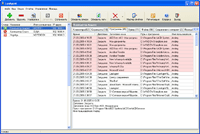
В чем же его уникальность и одновременно привлекательность? Вполне достойный вопрос, на который можно ответить, просто взглянув на интуитивно понятный интерфейс LanAgent. А учитывая полный объем возможностей, доступных пользователю мы получаем по настоящему редкий программный продукт позволяющий оценить затраты расхода рабочего времени и одновременно объединяющий в себе возможность контроля и взаимодействия с конкретным сотрудником.
Учитывая возможности программы LanAgent можно сказать, что Вы получаете не просто полный контроль над сотрудниками, но полностью объективную информацию о рабочем времени конкретного сотрудника, отдела, что позволяет с максимальной отдачей планировать рабочие процессы, оценивать деятельность конкретного сотрудника, его возможности и способности.
Существует мнение, что подобные программы не смогут остановить «продвинутых» пользователей от несанкционированного доступа к ресурсам Интернета, так как зачастую слишком легко обнаруживаются в рабочих процессах Windows NT/2000/XP, но в случае использования LanAgent, агенты которого абсолютно невидимы во всех операционных системах можно быть на все сто процентов уверенным в эффективности этого продукта.
С точки зрения морали и этики так же следует уточнить, что LanAgent не в коем случае не вмешивается в личную жизнь работающего персонала, не нарушает каким либо образом их права. Но наоборот стимулирует труд сотрудников работающих в организации, заставляет проявлять инициативу и избегать простоев используемых мощностей и ресурсов компании.
Тогда зачем гадать и пытаться предсказать возможный результат хозяйственной деятельности предприятия, когда существует реальная возможность увеличить производительность труда и снизить возможные затрат на оплату счетов интернет провайдеров. В конце концов выбор за Вами.
